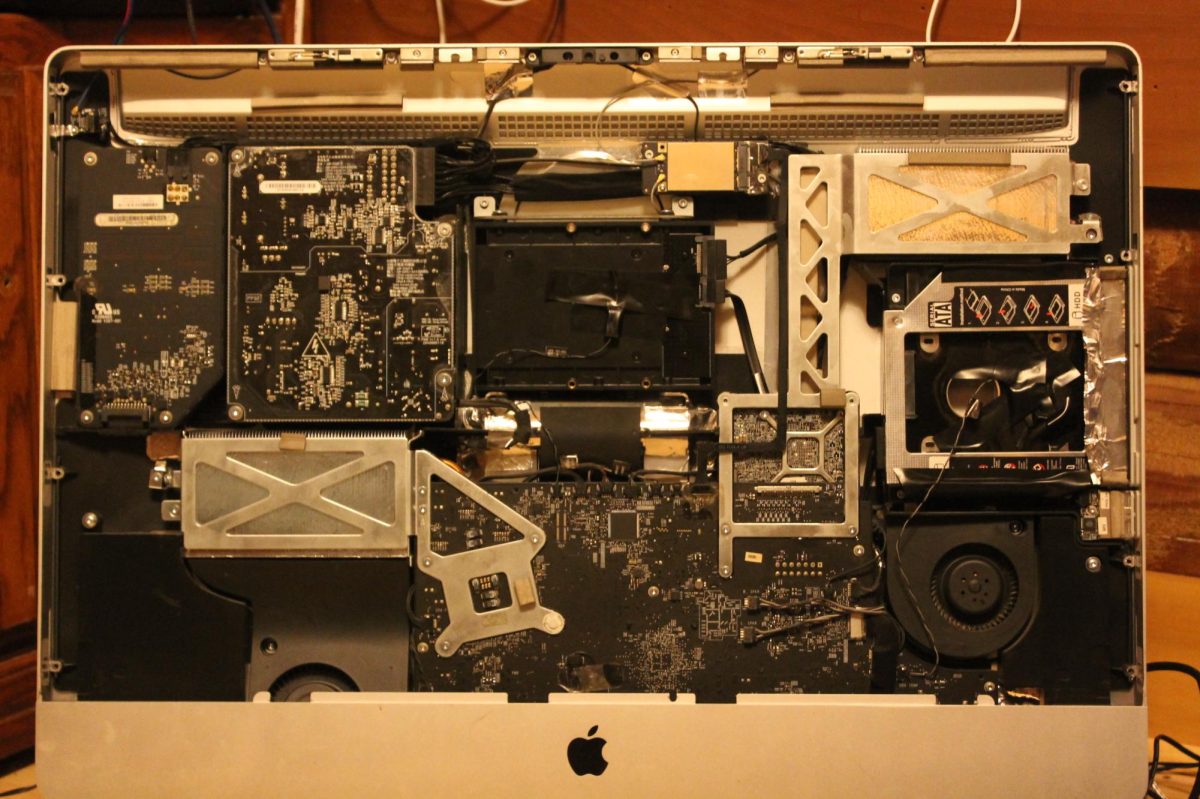
According to the United Nations, in 2022, the world produced 62 million tons of e-waste, which is a blanket term for electronics that are thrown away. These products will sit in landfills for hundreds to thousands of years due to their highly processed nature. The best way to reduce e-waste is to extend the life span of products by either using them for longer or repurposing them for different uses after their primary one fails.

One useful application of old computers can be personal web servers. Obviously, a 10-year-old desktop computer will not compete with high-powered, purpose-built servers, but it is enough power for use by one to five people. As long as all users are not all using heavy loads at once, it is realistic that an older computer can be an effective personal web server.
So it is feasible to run a web server, but why would someone want to do this? The answer is going to be different for each person. One use is to have control and be able to set up streaming services for things like movies, TV. Another is on-demand streaming of music that one owns. In addition to streaming, one could set up password management, and if there is some extra hard drive space, cloud storage can be set up relatively easily. All of these different services can be set up for some elbow grease and an internet connection for zero cost.

Now, repurposing devices does come with challenges, but an old machine may have broken in any number of ways. Physical damage is harder to repair and requires ordering parts, but if it was just an old machine that has slowed down over the years and gone out of date, then reviving it is not that hard.
For example, it might have stopped receiving updates, can not run a specific application, or it just gotten too slow. Now, if the computer is in line with 96.12% of all desktop users, then it is not running Linux. This was probably fine back when it was relevant, but now it is out of date. The issue is that popular operating systems such as Windows and macOS have a lot of bloated software, and often will drop support for older hardware. In contrast there are many Linux distros that are still actively maintained that have support for theses older systems.

The advantage of Linux is that it is a much simpler operating system, and so it can run on basically any hardware with less overhead, helping to make more use of limited computing resources. Of course, to get functionality, just like any operating system, programs must be installed. The advantage of Linux is that it starts out with many fewer system programs, so only the most essential stuff is installed. This minimalism can help to free up processing power for other applications.
The other main advantage is that most Linux distributions get regular software and security fixes. This helps to eliminate the risk of having an outdated operating system with known vulnerabilities.
The final advantage is that Linux is basically the default on servers, and so there is wide software support for different sorts of applications that can be hosted. Some options for programs that can be self-hosted are listed below. There is a plethora of other options and programs available, but these are just some easyish ones.
Password management can be either a pain or seamless, depending on your use case. Built-in password management, such as browser caches and iCloud Keychain with no cloud sync, may be fine, but some people need a dedicated service. Storing passwords on a dedicated cloud service can be tempting as a functionality boost.

There are both benefits and drawbacks to these services, which can be more secure, but they are also more susceptible to data breaches, and often require payment to get full functionality. Right now, LastPass is about three dollars a month, which is only $36 a year. The cost is fairly reasonable, but it only covers one person. What if more functionality is required?
Being limited in functionality and use case based on the whims of a company is annoying. The second reason to avoid these services is that they can be breached. It is not common, but because of how high-profile they are, it is totally possible.
Using a self-hosted service can help to save money and keep control of what is happening with one’s personal data. Self-hosting a password manager does come with its own set of disadvantages, such as having to ensure the security of your data and performing regular updates. So long as one is careful in their management and sets up strong authentication, it is safe.

Self-hosting cloud storage can be one of the best uses for an old computer, if the old computer has a 1 TB SSD or HDD, it can replace a cloud storage service with added advantages. A NAS, or network-attached storage, is a mini computer that acts as storage that is accessible to the whole wifi network.
To achieve this functionality, a simple SMB/NFS file share will allow for connection by any device on a local network. This allows access to files without being connected to the internet, and to pull something locally to a device. The transfer will be at the internal wifi speeds, allowing for fast and easy storage and transfers, instead of having to download it from a data center in Utah. This is because the connection is only going through a local router instead of a server and a data center. This allows for uploading something from a remote location, and a computer on the home network can access the files.
In addition, if more storage is needed, it can usually be added via internal SATA/NVME ports or external USB.
The primary bottleneck will be home internet speeds when accessing content remotely, but in general, that is not a super big issue.

In addition to being more versatile and private than a service like Google Drive, it is more economical. For 2 TB costs $10/month from Google Drive but a 2 TB SSD that will last 5-10 years can be purchased for $120.
The one downside to self-hosted storage is reliability. If there are not backups of saved data, then there is a single point of failure, this can be easily fixed by buying a backup drive so that important stuff is copied and saved.
A good and feature-rich program for self-hosted cloud storage is Nextcloud, which even supports photo syncing from a phone, so photos will be automatically backed up. If all that is desired is remote access to files then a program like file browser will do the trick while being lighter weight.
These next two services are lumped together because they involve media hosting. There are seemingly endless different streaming services, and paying for these services can be a big impediment to a person’s budget. Especially when the only reason a streaming service is being paid for is a single show.
An alternative to this money drain is to buy DVDs or Blu-rays for movies and shows that are desired, then use a self-hosted streaming service such as Plex or Jellyfin to do playback of owned content. As long as the individual is not profiting from the movies owned, then it generally falls into a legal gray area, and is considered ok.
This ownership of content is really rare. Even the “purchase” option on Amazon is actually a perpetual license, but that only applies as long as Amazon is a company and wants to allow access to that content.
Owning movies is a nice guarantee that one can access and use their content for personal use for as long as they want. This does come with limitations, maybe watching some TV shows a few months late, and in the case of films, seeing it in theaters before finding a good deal on a Blu-ray.

The story with music is similar to that of streaming videos. Many people developed large CD collections, but then MP3 players came along and outdated this format.
CDs have a really long lifespan so converting them into digital for playback on phones is easy. Ripping is the process by which the data on the CD is copied into a digital format. This can then be saved and hosted via a service like Navidrome.
Self hosting does come with some disadvantages, such as having fewer features like, custom auto shuffles, autoplaylist creation and lyrics, but for a user who just wants access to their music and to play and download it, it is a completely viable option.
Assuming that it is possible to cut maybe one $10/month streaming service and a $3/ month password subscription, as well as $5/month cloud storage, a person could easily save $216 a year while gaining a more customizable and useful service, along with a lot of knowledge.
This is obviously a bit of a daunting task for someone who has never touched the Linux kernel and only ever used Windows. One useful tool is AI. Yes, it can be unreliable, but the wealth of information that is available, especially when troubleshooting, is invaluable. If enough context is provided, it will generally point users in the correct direction.
Alternatively many of these programs can run natively on Windows with a performance hit, so for a quick and easy solution, Windows is fine. This will create long term issues, with updates and bloat as well as compatibility and stuff will probably eventually break, but it is easy in the short term to get started.
A good suggested middle ground is installing a Linux distro with good compatibility on the old computer and a proper GUI, which can make tasks like file management easier for people who are not used to using the terminal for everything. This solution still provides the benefits of a linux operating system and once everything is set up it can be switched to run headless.
With some excess time, persistence, and a lot of reading documentation, anyone can host media, passwords and cloud storage on their old computer, often with more features and customizability than would ever be offered by a mainstream service. However, be warned, downloading stuff from the internet can be dangerous, and proper network security when port forwarding is really important, as vulnerabilities can be easily exposed to hackers with malicious intent. Please take the time to research and understand what changes are being made and how to do them safely.
If a safer solution is desired, use a reverse proxy service. They do not require any new ports to be opened up, but they do require owning a domain name to proxy from. Conveniently, those can be as cheap as three dollars a year. Sailing the seas is never a good idea without proper safety equipment. Be safe out there.